llm-keys-ui 0.1
LLM API Key Management: A Deep Dive into llm-keys-ui 0.1 and DeepSeek API Integration Every team that ships an LLM feature eventually collides with the
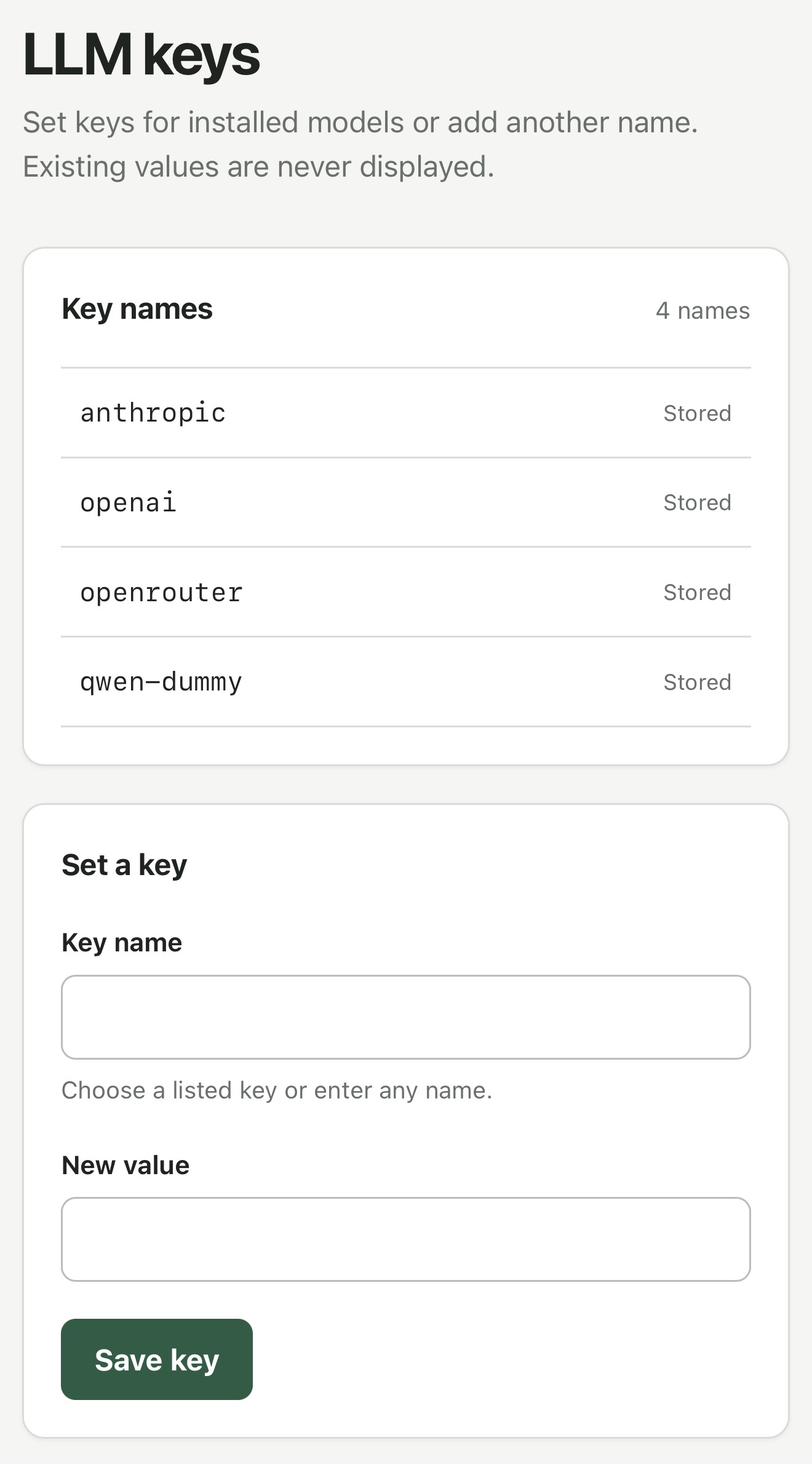
LLM API Key Management: A Deep Dive into llm-keys-ui 0.1 and DeepSeek API Integration
Every team that ships an LLM feature eventually collides with the same uncomfortable truth: the API key that made the prototype work becomes the single most dangerous string in the codebase. LLM API key management is the discipline of deciding where those strings live, who can read them, when they rotate, and how you prove any of it to an auditor six months later. llm-keys-ui 0.1 is a focused attempt at that problem — a lightweight UI layer for storing, scoping, and rotating provider credentials, including DeepSeek API keys issued through Mydeepseekapi.
This article is a deep dive. It covers the mental model behind the tool, how it behaves under the hood, day-to-day operations, production patterns, security trade-offs, and the failure modes that show up only after you've run it in a real environment. If you're evaluating whether a dedicated key-management UI belongs in your AI stack, this is the long-form version of that decision.
Why LLM API Key Management Needs a Dedicated UI
The Hidden Cost of Scattered API Keys
Most teams don't decide to have bad key hygiene. It accumulates. A developer pastes a key into a .env file so they can test a streaming endpoint. A copy lands in a shared 1Password note. Someone drops a truncated version into Slack while debugging a 401. Then a staging key ends up in a screenshot attached to a pull request.
The cost isn't the leak itself — it's the audit gap. When a key is compromised, the first question is always "which key, which environment, and who had access?" With .env files and Slack threads, that question has no reliable answer. You can't rotate what you can't enumerate, and you can't enumerate what was never tracked in the first place.
A second, quieter cost is rotation pain. Rotating a key that's hardcoded in three services, a CI variable, and a local dev machine is a multi-hour coordination event. So teams defer it. A key that's three years old and used by nine services is a much bigger blast radius than the one that was rotated last Tuesday.
From Environment Variables to llm-keys-ui 0.1
Environment variables are not the enemy. The Twelve-Factor App methodology got that right: config belongs in the environment, not in the code. But environment variables solve injection, not governance. They don't tell you who owns a key, when it was last used, or which project it belongs to.
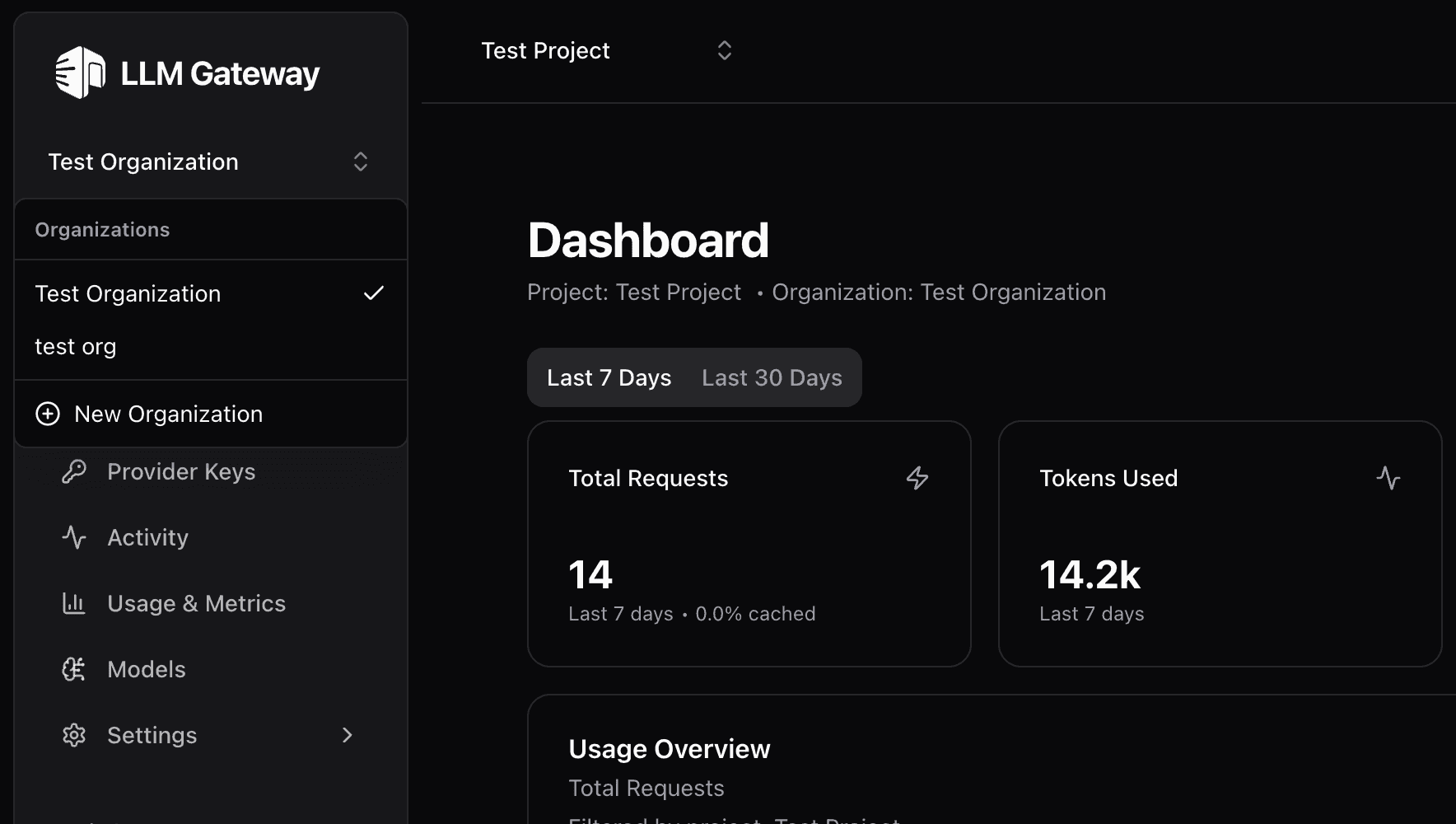
llm-keys-ui 0.1 sits in that gap. It is the layer between developers, providers, and production systems: a control plane where a key is registered once, scoped to a project and environment, and then consumed by services that never see the raw value in a config file. Think of it as the difference between emailing a password and issuing a badge.
How Mydeepseekapi Fits: DeepSeek v3 & r1 Without Key Chaos
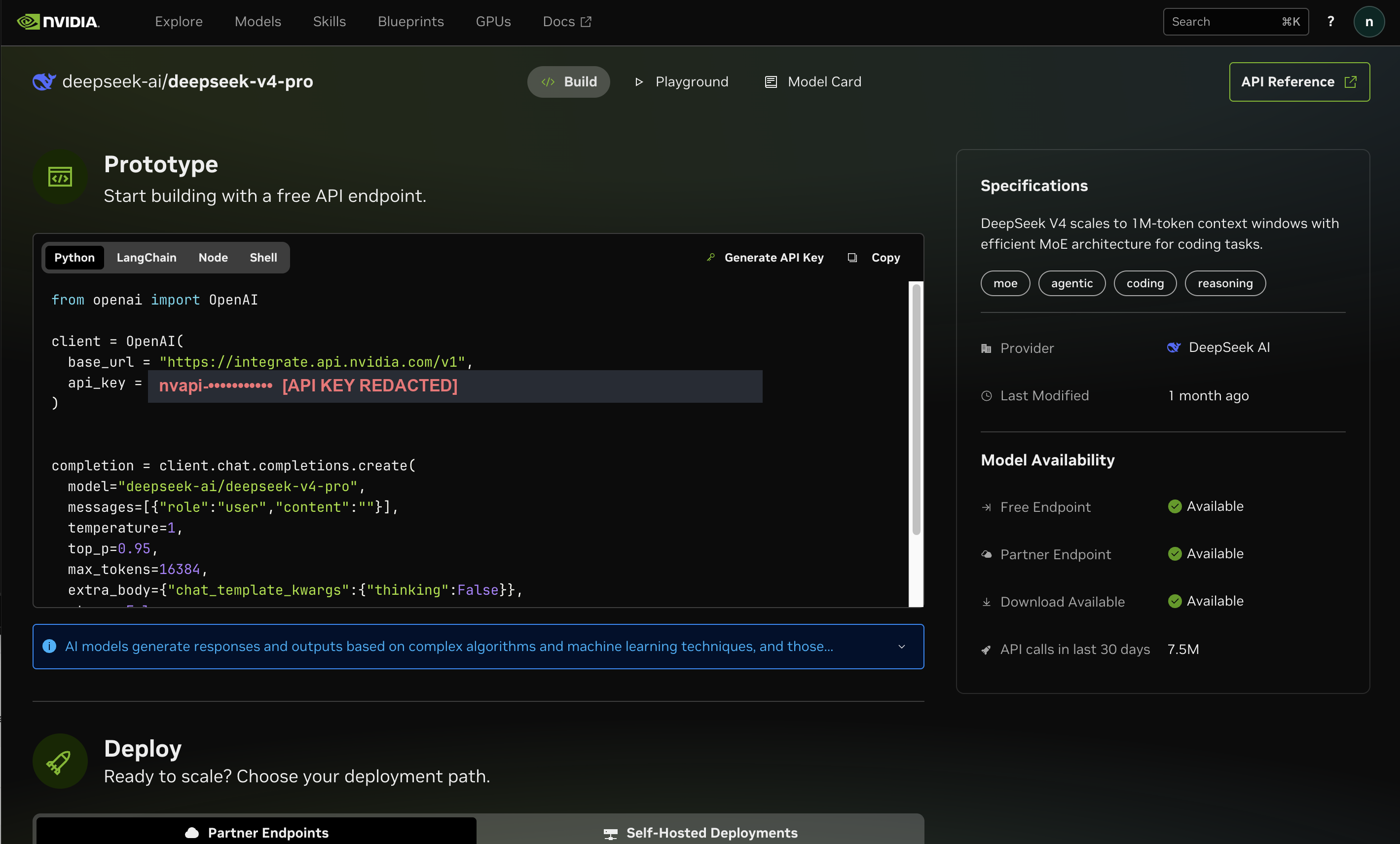
Mydeepseekapi gives teams access to DeepSeek v3 and r1 models with blazing-fast response times, transparent pricing, and zero setup hassle. The zero-setup part matters enormously for this discussion, because the easiest onboarding path is also the one that produces the most orphaned credentials. You sign up, copy a key, ship a feature, and forget the key exists.
Pairing Mydeepseekapi with llm-keys-ui changes the shape of that workflow. The key is created once, stored once, labeled with an owner and an environment, and referenced by name everywhere else. You keep the speed and the transparent pricing; you lose the part where a production key lives in a text file on someone's laptop.
Core Concepts Behind llm-keys-ui 0.1
What llm-keys-ui Is and Isn’t
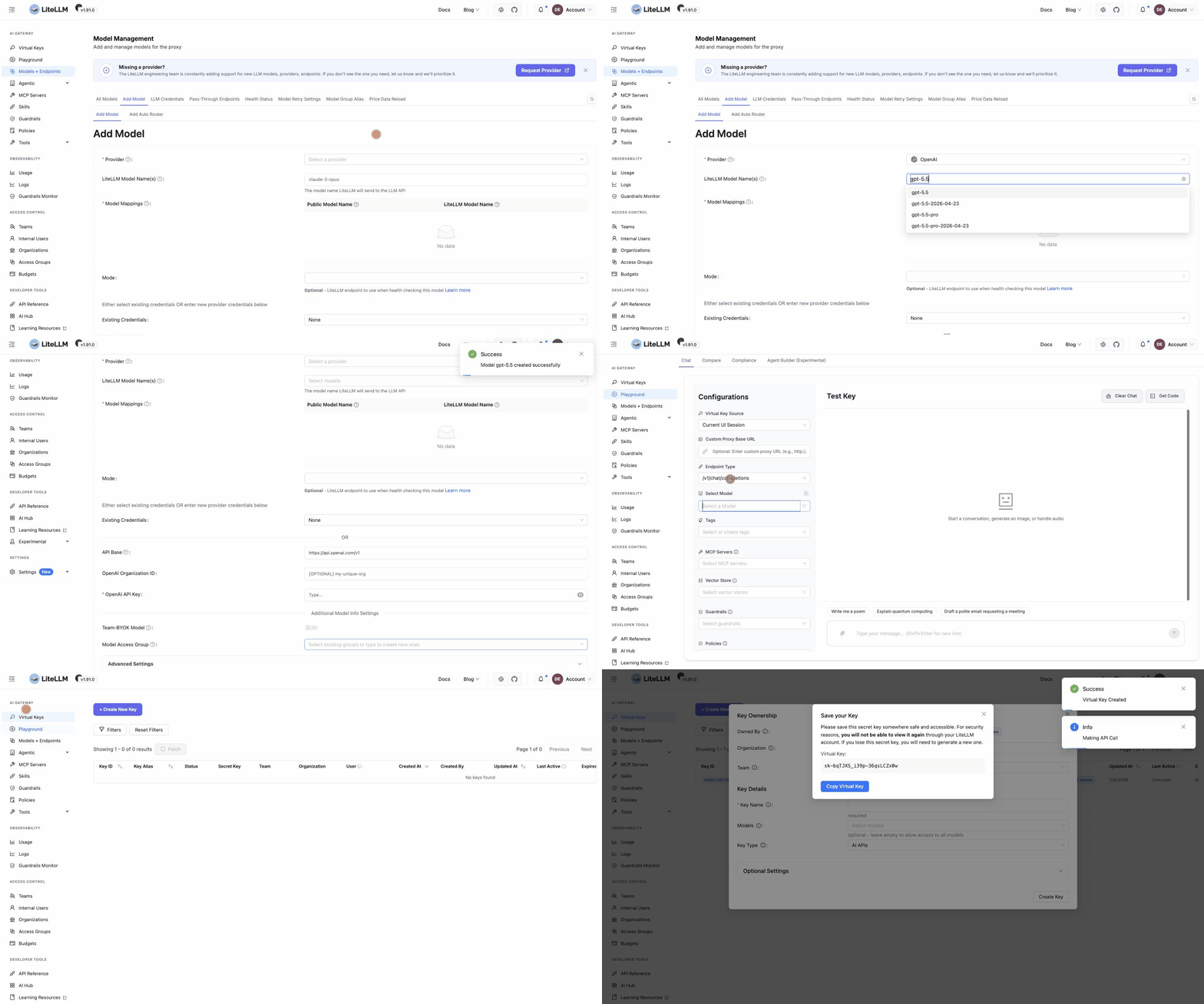
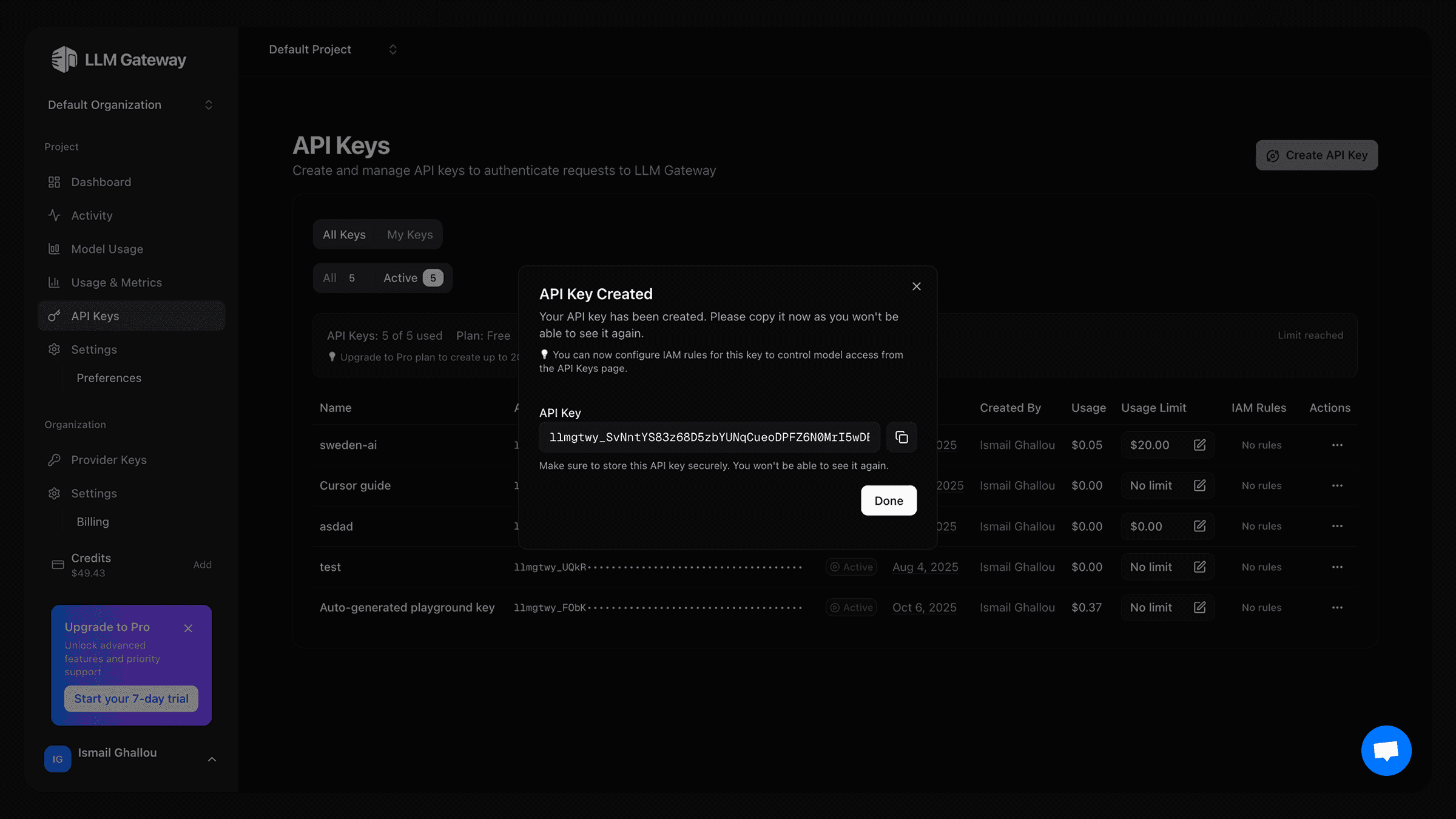
It is a key-management UI with a small control-plane API. It stores provider credentials, scopes them, tracks metadata, and produces an audit trail.
It is not an LLM gateway. It does not proxy your inference traffic, rewrite prompts, or count tokens. It is not a billing dashboard either, though it can surface usage signals if the provider exposes them. And because it is version 0.1, you should treat it as an early, opinionated tool rather than a battle-hardened vault. Expect sharp edges. Read the release notes for your specific build before you trust a flag you saw in a blog post.
Key Entities: Providers, Keys, Projects, and Environments
The data model is deliberately small, and understanding it is most of the battle:
| Entity | Meaning | Example |
|---|---|---|
| Provider | The upstream API vendor | deepseek (via Mydeepseekapi) |
| Project | A logical application or service | chat-api, rag-pipeline |
| Environment | A deployment context | dev, staging, prod |
| Key | A credential bound to provider + project + environment | chat-api / prod / deepseek |
The compound identity is the important part. A DeepSeek API key isn't just "a key" — it's chat-api-prod-deepseek-key-01. That naming shape is what makes rotation, revocation, and auditing tractable later.
How llm-keys-ui 0.1 Works Under the Hood

The lookup flow is intentionally boring, which is a compliment. When a service needs a credential, it authenticates to the control plane with a workload identity (a service token, a short-lived JWT, or a platform identity), and requests a key by its compound reference. The control plane verifies the caller's scope, writes an audit event, and returns the secret over TLS.
At rest, keys are stored encrypted using envelope encryption: each secret is encrypted with a data key, and the data key is wrapped by a master key you supply — ideally from a KMS or a sealed secret store rather than a config file. Once written, a secret is typically write-only: the UI shows a masked value, and a reveal action is logged, rate-limited, and often restricted to specific roles.
Two honest caveats. First, the encryption strength of llm-keys-ui 0.1 is bounded by the master key you provide; if that key sits in a plaintext environment variable on the same host, your envelope encryption is decorative. Second, llm-keys-ui is not an HSM-backed vault and does not claim to be. For regulated workloads, treat it as a convenience layer in front of a stronger store, not a replacement for one.
Caching is where latency gets interesting. A runtime that fetches a key on every request pays a network round trip per call. Most deployments use a short-TTL in-memory cache — 30 to 300 seconds is common — which makes lookups effectively free after warm-up but introduces a propagation window on rotation. That window is the single most important number to understand before you automate anything.
LLM API Key Management vs Built-In Secret Managers
Cloud secret managers — AWS Secrets Manager, GCP Secret Manager, Azure Key Vault, HashiCorp Vault — are more mature, more auditable, and better integrated with IAM. So why a dedicated UI?
| Dimension | .env files | Cloud secret managers | llm-keys-ui 0.1 |
|---|---|---|---|
| Developer experience | Familiar, zero infra | Steep IAM learning curve | Purpose-built, LLM-aware |
| Access control | Filesystem permissions | Rich IAM policies | Role-based, coarser |
| Portability | Total | Cloud-bound | Provider-agnostic |
| LLM-specific metadata | None | None | Owner, project, env, provider |
| Audit maturity | None | High | Moderate |
The pragmatic answer for many teams is both. Use the cloud secret manager as the durable root of trust for the master key, and use llm-keys-ui as the human-facing layer where developers actually register and rotate provider keys. The UI solves the workflow problem; the vault solves the cryptographic one.
Setting Up llm-keys-ui for DeepSeek API Integration
Prerequisites and Environment Checklist
Before installing, confirm you have: a running instance of the control-plane service (container or binary, depending on your distribution), a Postgres-compatible database for metadata, a master key source, and TLS termination in front of the UI. On the client side you need a runtime that supports outbound HTTPS, a service identity, and network reachability to both the control plane and your DeepSeek endpoint. Confirm your plan supports DeepSeek v3 & r1 so the models you intend to call actually exist in your account.
Installing and Initializing llm-keys-ui 0.1
Installation shape varies by distribution, but the sequence is consistent: deploy the service, point it at the database, provide the master key, run migrations, then create the first admin account. A representative initialization looks like this — verify flags against the actual 0.1 release notes, since early versions change fast:
# Illustrative initialization for llm-keys-ui 0.1
llm-keys-ui migrate --config ./config/llm-keys-ui.yaml
llm-keys-ui bootstrap-admin --email admin@example.com
llm-keys-ui serve --config ./config/llm-keys-ui.yaml --listen :8443
First login should force a password change and MFA enrollment. Do that before you add a single key; retrofitting MFA onto an admin account that already holds production secrets is a bad afternoon.
Connecting a DeepSeek API Key from Mydeepseekapi
Generate the key in your Mydeepseekapi dashboard, copy it once, and paste it into llm-keys-ui as a new secret under the deepseek provider. Assign it a project, an environment, and an owner. Because Mydeepseekapi offers zero setup hassle and transparent pricing, the temptation is to create one key and use it everywhere — resist that. Create separate keys per environment at minimum, even if the underlying model access is identical. Provider-level scoping is your cheapest insurance policy.
Validating DeepSeek API Integration with a Test Request
A safe validation call should be cheap, deterministic, and bounded:
curl -sS https://api.deepseek.com/chat/completions \
  -H "Authorization: Bearer $DEEPSEEK_API_KEY" \
  -H "Content-Type: application/json" \
  -d '{
    "model": "deepseek-chat",
    "messages": [{"role": "user", "content": "Reply with one word: pong"}],
    "max_tokens": 8
  }'
Time the call. With Mydeepseekapi's blazing-fast response times you should see a tight, consistent round trip — a good baseline for spotting regressions later. A 401 means the key or scope is wrong. A 200 with unexpected content means you're hitting a different model than you think. Log the result, never the request headers.
How to Manage DeepSeek API Keys in the llm-keys-ui Dashboard
Creating and Labeling New DeepSeek API Keys
Adopt a naming convention before you have twenty keys. Something like {project}-{env}-{provider}-{ordinal} — for example, chat-api-prod-deepseek-01 — makes grep, alerting, and rotation scripts dramatically simpler. Fill in the description field with the reason the key exists and the date it was issued. Future you, reading an audit log at 2 a.m., will be grateful.
Scoping Keys by Project, Environment, and Budget
Scoping is usually framed as a security control, but it's also a budget boundary. If a runaway loop in staging burns through your quota, a prod-scoped key means the blast radius is one environment. Hidden insight worth internalizing: because scopes map cleanly onto cost centers, you can use key separation as a crude but effective spend-attribution mechanism. It won't replace actual usage metering, but it will tell you which project to yell at.
Rotating, Revoking, and Sharing Keys Safely
Rotation should be routine, not heroic. The pattern that works: create the new key, deploy it alongside the old one, accept both during an overlap window, then revoke the old key once traffic has fully migrated. A 24-hour overlap is generous for most services and costs nothing. Sharing should never mean pasting a value into chat — grant the recipient access to the key's reference in llm-keys-ui and let their service identity fetch it.
Auditing Usage and Key Health
Watch three signals: last-used timestamps, stale-key counts, and reveal events. A key that hasn't been used in 90 days is either dead weight or an unmonitored liability. A spike in reveal events is either an incident or a developer bypassing the intended flow. Both deserve a look.
Advanced LLM API Key Management Workflows
Automating Rotation with CI/CD and Webhooks
Rotation automation is where llm-keys-ui 0.1 pays for itself. Wire the control plane's webhook to your pipeline so a rotation event triggers a config refresh and a rolling redeploy:
rotation:
  schedule: "0 3 * * 0"        # weekly, Sunday 03:00 UTC
  overlap_window: "24h"
  targets:
    - project: chat-api
      environment: prod
      provider: deepseek
      notify: "#platform-oncall"
The critical design rule is that your services must tolerate two valid keys simultaneously. If they can't, rotation becomes a maintenance window — which means it won't happen weekly, which means it won't happen.
Multi-Provider Key Strategies Beyond DeepSeek
Keep llm-keys-ui as the single source of truth even as you add providers. The value of a key registry is proportional to how completely it covers your surface area. One provider managed in the UI and three in a spreadsheet is worse than managing all four the same way.
Encryption, Caching, and Zero-Downtime Rollovers
Cache invalidation is the hard part. Push-based invalidation (a webhook that tells runtimes to drop a cached key) beats TTL expiry when you need fast rotation. Design your clients so that a failed key lookup degrades gracefully — retry once against the control plane, then fail the request rather than hanging.
Using llm-keys-ui in Local, Staging, and Production
Local development deserves special treatment. Developers on laptops shouldn't hold production credentials, and they usually don't need to. Issue read-only or sandbox keys for local work — keys that hit the same models but carry a distinct label and a lower quota. This keeps prototyping fast while making it structurally impossible to accidentally mutate production data from a laptop.
Security, Compliance, and Trust for DeepSeek API Keys
Threat Model: Exposed Keys, Leaks, and Insider Risk
The realistic failure modes are not exotic. Committed keys in a public repo, keys printed in application logs during a stack trace, screenshots in support tickets, and over-permissioned team members who can reveal every secret in the system. Rank your mitigations against those four, not against nation-state adversaries.
Least-Privilege Policies for DeepSeek API Integration
Apply role-based access at three levels: who can create keys, who can reveal them, and who can rotate them. In practice, most engineers need reveal access only in non-production. Production reveals should require an approval flow and generate a loud audit event. Your DeepSeek API integration in production should be able to run for months without a human ever seeing the raw key.
Industry Best Practices for LLM API Key Management
The principles here are older than LLMs and well documented by OWASP's secrets management guidance and NIST SP 800-57's key lifecycle framework: unique keys per environment, defined rotation periods, documented ownership, encrypted storage, and logged access. Nothing about generative AI changes these fundamentals — it just makes the volume of credentials higher and the cost of a leak more embarrassing.
Logging, Retention, and Access Reviews
Log the event — who accessed which key reference, when, and from which service identity. Never log the value. Retain access logs long enough to satisfy your compliance window (90 days is a common floor, a year is common in regulated sectors) and run quarterly access reviews where every key's owner confirms it's still needed.
Pros and Cons of llm-keys-ui 0.1 for Regulated Teams
Ease of use is the clear win: developers actually adopt tools that don't require an IAM ticket. The clear risk is maturity — version 0.1 tooling lacks the certifications, formal audit reports, and multi-year track record that regulated buyers need. It also introduces an external dependency in your critical path. For SOC 2 or HIPAA-adjacent workloads, the defensible pattern is llm-keys-ui as an interface layer backed by a certified vault for the actual secret material.
Real-World Implementation and Lessons from Production
Case Study: Migrating a Chat App to llm-keys-ui and Mydeepseekapi
A small team running a customer-facing chat feature had its DeepSeek key hardcoded in three places: a Flask app, a background summarizer, and a CI job that ran nightly evals. The migration took an afternoon: create chat-api-prod-deepseek-01 and chat-api-staging-deepseek-01 in llm-keys-ui, point the Flask app and summarizer at the control plane via a service identity, replace the CI key with a scoped eval key, then revoke the original. The immediate win wasn't security — it was that the next rotation took eleven minutes instead of an unplanned outage.
Common Pitfalls When You Manage DeepSeek API Keys
The recurring mistakes: one shared production key for every service, no rotation schedule, unclear ownership after the original author leaves, and environment mix-ups where staging traffic hits a production key. Each of these is cheap to prevent at setup time and expensive to unwind later.
Performance and Reliability Benchmarks for Key Lookup
Environment variable reads are effectively free — nanoseconds, no network. A control-plane lookup adds a real round trip, typically single-digit to low-double-digit milliseconds on a warm connection. With a short-TTL cache, the amortized cost approaches zero. The trade-off is propagation delay: a revoked key may remain valid in a cached runtime for the length of the TTL. Measure this number in your own environment and document it.
When to Use llm-keys-ui (and When Not To)
Use it when multiple people, services, or environments touch the same provider keys. Skip it for a solo prototype with a single key, and skip it for air-gapped or highly regulated setups where a dedicated vault is already mandated. The tool's value scales with team size and credential count.
Troubleshooting llm-keys-ui 0.1 and DeepSeek API Integration
Diagnosing Authentication and Permission Errors
A 401 usually means an invalid or revoked key. A 403 usually means a valid key with insufficient provider permissions. A 404 on the model endpoint often means you're pointing at the wrong environment's base URL. Check the compound key reference first — chat-api-staging-deepseek-01 and chat-api-prod-deepseek-01 look nearly identical at a glance.
Handling Rate Limits, Timeouts, and Provider Outages
Distinguish key problems from provider problems by testing with a known-good key from a shell. If that works, your key management layer is the suspect. Implement retry with exponential backoff and jitter for 429s, and consider a fallback model when latency spikes.
Fixing UI Sync, Cache, and Environment Mismatches
Stale UI state after a rotation is almost always caching. Force a client refresh, confirm the control plane's audit log shows the rotation, and verify the runtime's cache TTL. Mismatched project/environment settings are the second most common cause — check the key's scope against the service's declared identity.
Monitoring and Alerting for LLM API Key Management
Alert on four things: authentication failure rate spikes, unusual usage patterns, keys approaching expiry, and failed rotation jobs. A silent rotation failure is the worst-case scenario because everything looks healthy until a key expires mid-traffic.
Scaling and Future-Proofing Your LLM Key Management
Team Roles and Governance as Usage Grows
Define four roles early: admin (manages the control plane), developer (creates and uses keys in non-production), auditor (read-only access to logs and metadata), and viewer (sees key references, never values). Require approval for production key creation once your team passes roughly a dozen engineers.
Migrating Between llm-keys-ui Versions
Before any upgrade, export your key metadata and audit logs, take a database snapshot, and test the migration on a staging instance. Schema changes in a 0.x tool are expected, and rollback plans should exist before you need them.
Integrating Mydeepseekapi’s Transparent Pricing and Fast DeepSeek Models
Because Mydeepseekapi offers transparent pricing, you can map usage tiers directly onto key scopes — a high-quota key for the production chat path, a bounded key for batch jobs, a sandbox key for local work. Combine that with blazing-fast response times and zero setup hassle, and the operational story is simple: fast models, clear costs, and credentials that never escape the registry.
Roadmap Considerations: What to Watch in llm-keys-ui 0.2+
Watch for SSO integration, audit log exports, provider plugins, and automated compliance reporting. SSO in particular removes the biggest adoption friction in mid-size teams.
Conclusion
LLM API key management is unglamorous infrastructure, and that's exactly why it deserves a dedicated tool. llm-keys-ui 0.1 won't replace a certified vault, and it doesn't pretend to — but it solves the workflow problem that causes most real-world leaks: keys that nobody can enumerate, own, or rotate. Pair it with Mydeepseekapi for DeepSeek v3 & r1 access, scope your keys by project and environment, automate rotation with overlap windows, and treat every reveal as an event worth logging. Do that, and the next time someone asks "which key was that?", you'll have an answer in seconds instead of a weekend.